Hunting Traps | Baits and Cages
Set snap traps and animated cage traps across the map. Snap traps bait wildlife in close for the hunt; cage traps slam shut and hold the catch. Cages take players too when you switch it on. Traps wear down with use and need repairing, and each bait pulls its own set of species.


Overview
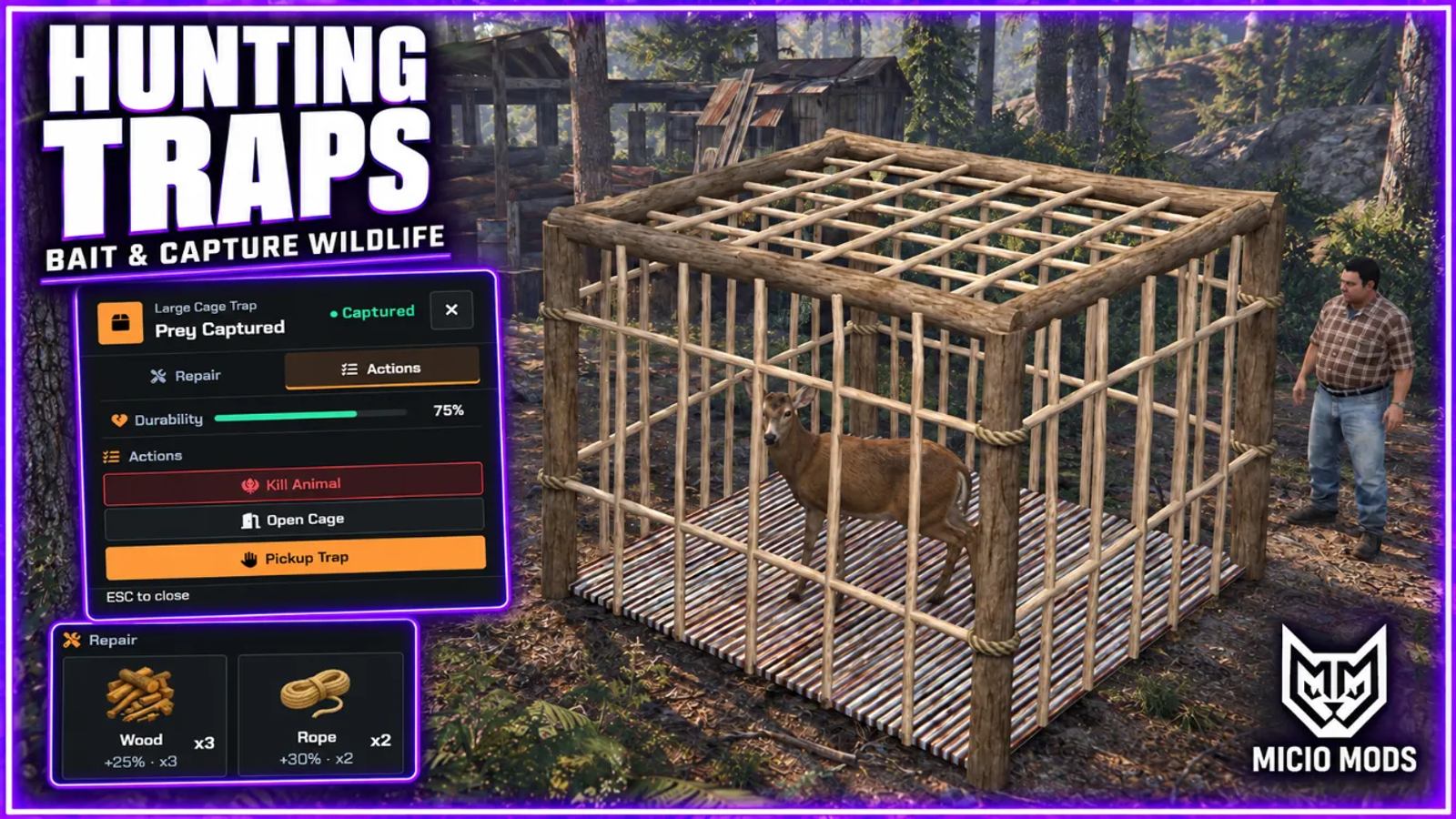
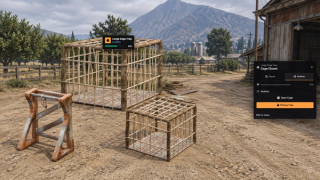
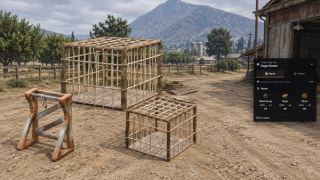
Place snap traps or animated cages and load them with bait. The included Snap Trap, Small Cage Trap and Large Cage Trap have separate models, placement limits and wear settings. Cage doors close on a catch and open on release.
Configure the species attracted by Meat, Vegetable and White Meat bait, with attraction range and bait duration per trap. Cages can catch configured animals regardless of bait type, or require a matching bait. Optional wildlife spawning supplies an animal when ambient wildlife is unavailable.
Player capture is off by default and configurable per cage. Captured players cannot open or pick up their cage, with timed and cleanup release rules. Killing a captured animal requires an allowed melee weapon and leaves a carcass. The optional per-animal loot table is off until enabled.
Traps wear while baited or holding prey. A broken trap releases its captive and needs repair materials before use. A metadata-capable inventory preserves condition when players pick up and place the item again.
When persistence is enabled, saved traps return after restarts, with old captures released. Configure idle cleanup, owner-only pickup and placement caps. Use target interactions or a key prompt, with optional in-world status tags. Open hooks support custom access and event handling; validate rewards in your own server integration.
Requires ox_lib, oxmysql and ml_bridge. Repair items and bait lists are editable. Optional logs can use Discord, FiveManage or ox_lib.
Key Features
Snap Traps and Animated Cages
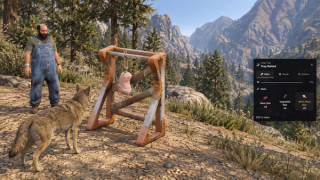
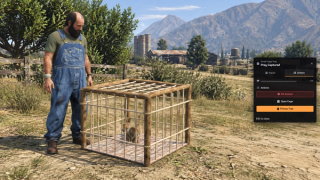
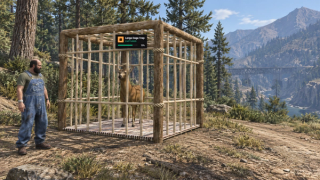
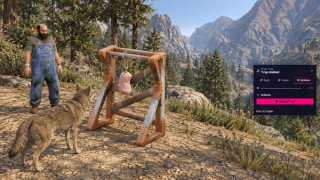
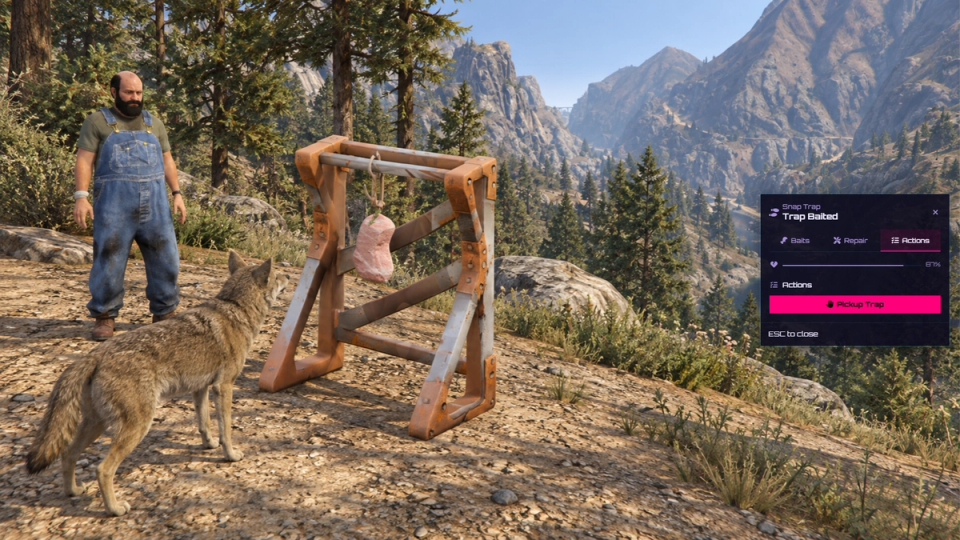
Snap traps use a bait holder that shows the bait attached as soon as you load it, ready to attract wildlife. Cage traps use a separate door that slams shut on a catch and lifts smoothly on release, with the open and close timing tuned for each cage size.
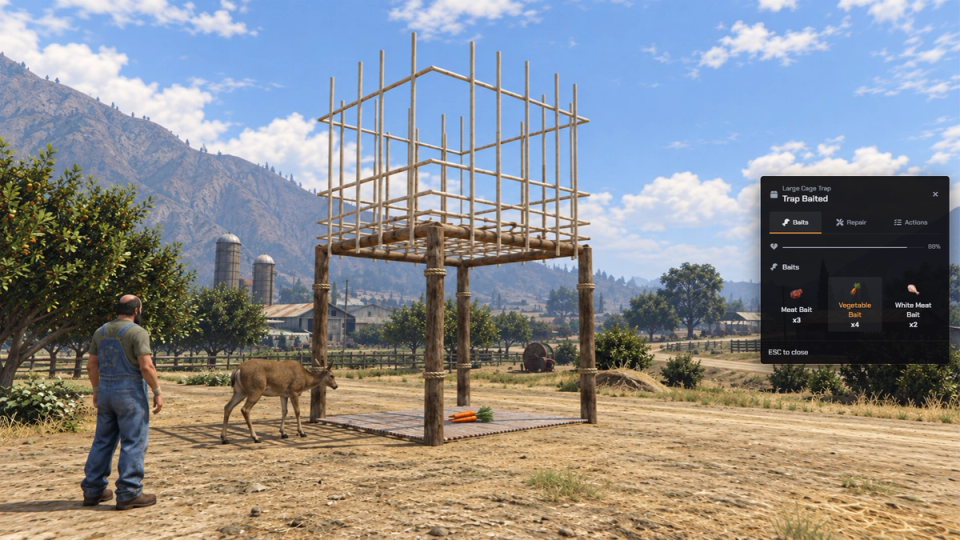
Three Traps Ready to Use
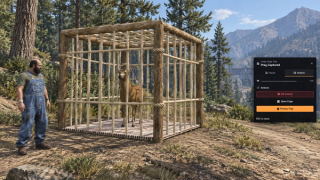
Ships a Snap Trap, a Small Cage Trap and a Large Cage Trap. Each has its own props, wear rating and placement cap, and the two cages add their own catch radius and door timing.
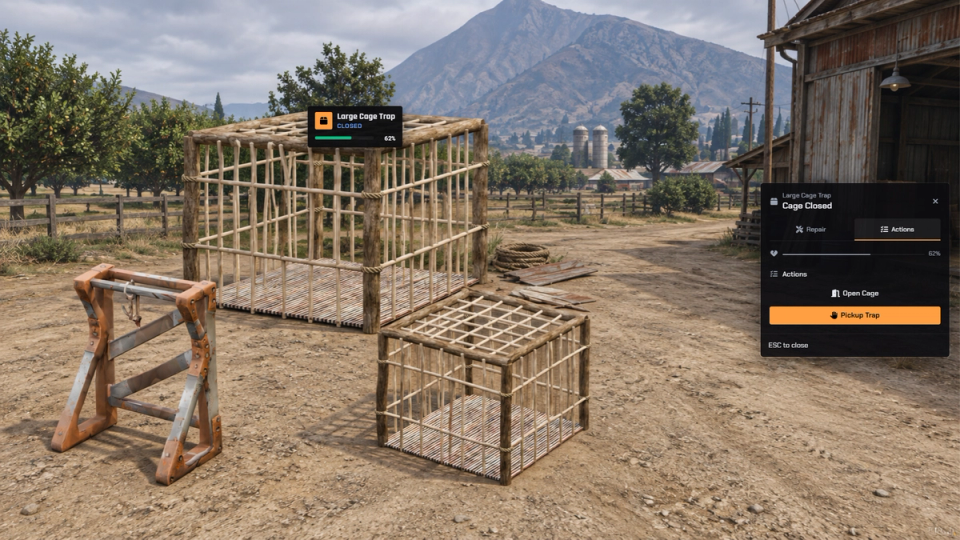
Bait Built Around Each Trap
Three baits come set up: Meat for large aggressive predators, Vegetable for grazers, White Meat for scavenger birds, rodents and small predators. Each one has its own attraction range, a lifespan in minutes or never, and an animal list that can change per trap.
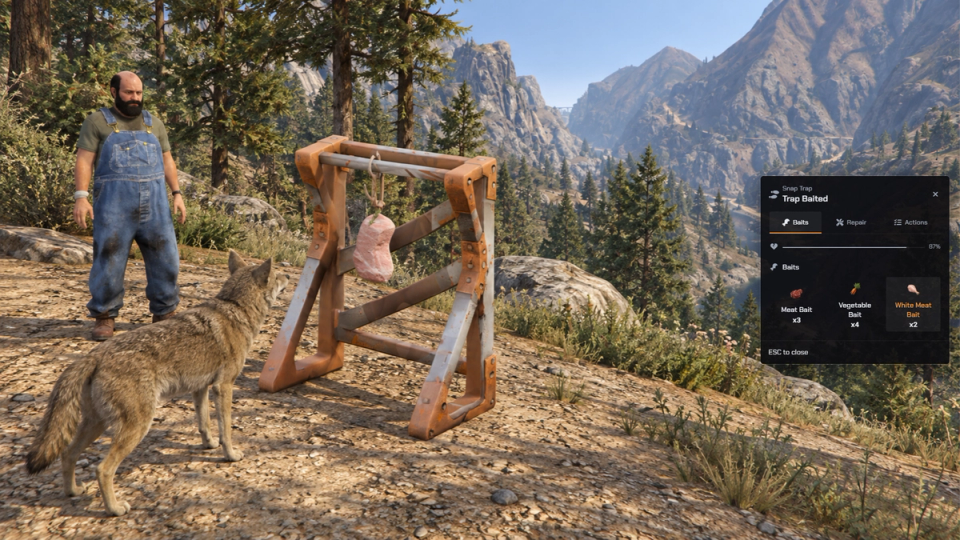
Lure and Hand Back to the Wild
A baited trap watches for the right animals nearby, walks the nearest one over to the bait, and lets it graze or settle while it feeds. One animal at a time per trap. Release it or let the trap break and the animal is handed back to the game's own wildlife behavior and wanders off.
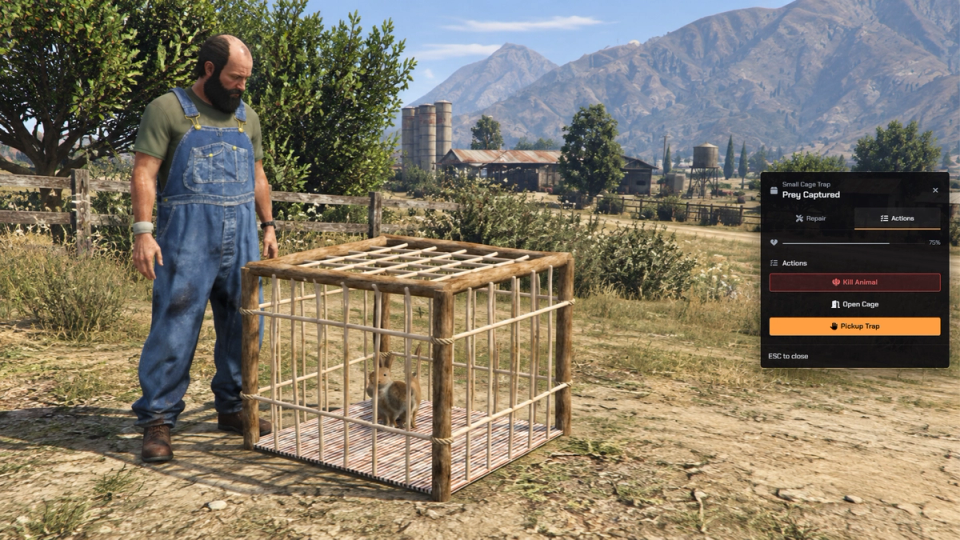
Optional Wildlife Spawning
Enable wildlife spawning for maps with no ambient animals. The server spawns one animal per baited trap at the configured interval and sends it toward the bait.
Catch Animals and Players
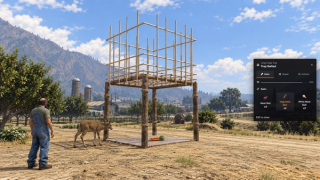
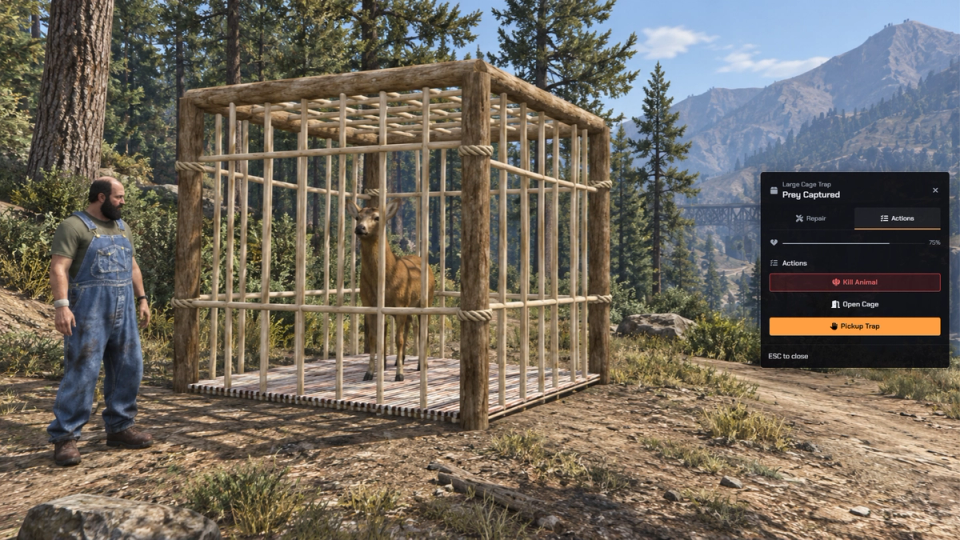
Cages take animals on approach. Player capture is an optional switch, off by default and set per cage: turn it on and the large cage springs shut on a player who steps inside, or the owner closes it on someone standing in the radius. A trapped player cannot pick the cage up or open it to escape, and a timed release lets them back out on its own.
Catch Anything Mode
Cages ship in catch-anything mode: any configured animal that steps inside is grabbed even without matching the loaded bait. Flip one flag to restrict catches to the bait's own list.
Melee Kills on Caught Animals
A caught animal can only be put down while holding a melee weapon from the allowed list, which ships with knife, machete, hatchet, switchblade, battleaxe, stone hatchet and dagger. The hunter plays a takedown animation and the animal drops on the spot, leaving a carcass on the ground.
Loot on the Kill
An optional loot table pays out per animal: a boar can hand over meat and a hide, a hen feathers and white meat, each with its own amounts and drop chance. Full pockets drop the rest on the ground. Ships off, so your reward hooks stay in charge until you turn it on.
Wear and Repair
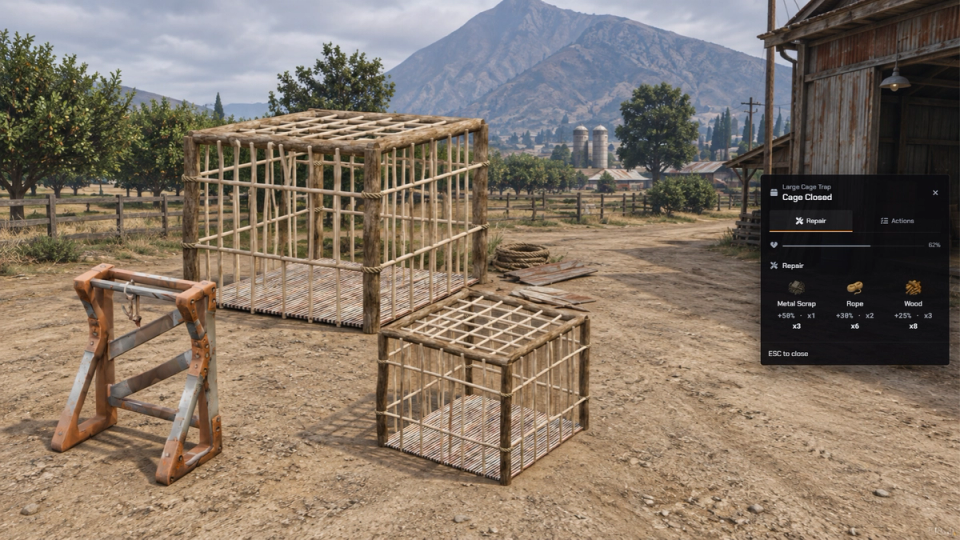
Each trap can be set to wear out over hours of active use while baited or holding prey. When it gives out it breaks, drops its captive and refuses to work until repaired with rope, wood or metal scraps, each restoring a set amount of condition.
Condition Follows the Trap
With a metadata-capable inventory, trap items keep their condition between pickup and placement. Separate stacks preserve their different wear levels.
Survives Restarts
Traps are saved and stand back up in place after a restart, then sync to everyone online. The database sets itself up on first launch, and persistence is a per-type switch you can turn off.
Idle Trap Cleanup
A scheduled sweep removes saved traps that have sat unused past a set number of days, optionally only broken ones, and updates nearby players.
Per-Player Placement Limits
Caps the total traps a single player can own and sets a separate cap per trap type. Both are tracked per owner and checked the moment a trap is placed, before the item is used up.
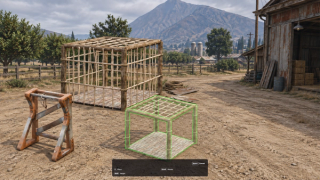
Ghost Placement Preview
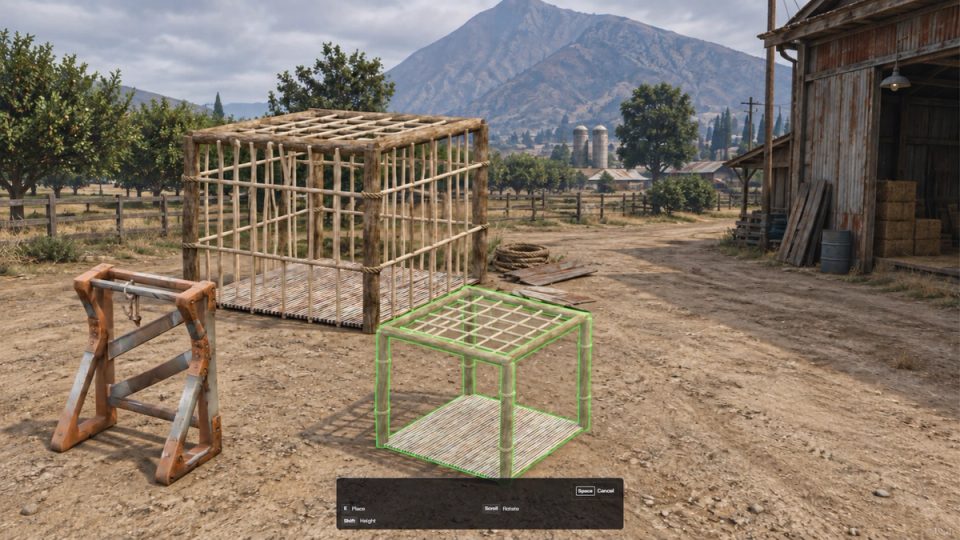
A see-through preview steers into position: scroll to rotate, shift and scroll for height, steep slopes rejected and outlined in red. Confirm or cancel to finish.
Distance-Based Trap Streaming
Trap props appear and disappear around players within the range you configure.
Floating In-World Trap Tags
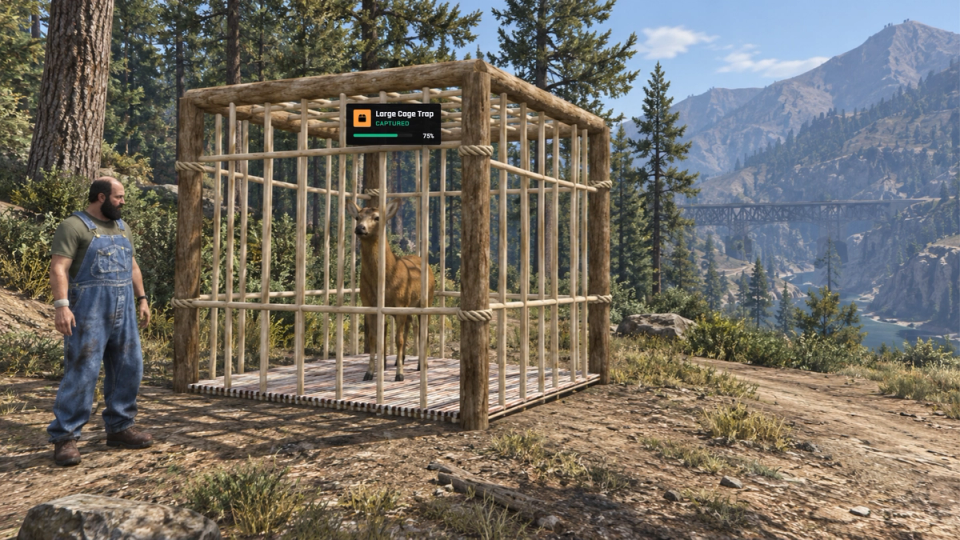
Optional floating tags above each trap show the name, icon, state and remaining condition. Tags only draw within range, cap to the nearest few, and fade by distance.
One Panel for Every Trap Action
A single interaction opens a tidy panel split into Baits, Repair and Actions tabs, with a header showing whether the trap is baited, holding prey or closed. Live bait and repair-kit counts are pulled straight from your inventory, and from here you choose a bait, run a repair, kill or release, open or close a cage, and pick the trap back up. Capture, kill and cage toasts each switch on or off on their own, and the panel color scheme is yours to set. Bait and repair icons come straight from your own inventory's image set.
Automatic Captive Release
A captured player is let back out on their own if they disconnect or the cage drops out of range. Together with the timed release, player capture always stays a temporary hold.
Know Who Placed, Picked Up and Killed
Placing, pickup, kills and theft attempts can be logged with the trap, its location, the owner and the animal, sent to Discord, FiveManage, ox_lib or a combination. It stays off until you add your own webhook.
Custom Streamed Trap Models
Ships with its own trap and cage models, including the full sliding-door cage animation, no extra prop packs to source.
Works Without a Target Script
Runs through your targeting resource, or a plain press E prompt at the trap when you have none. Pick either in the config. One config line switches between the two.
Editable Integration Hooks
Use the open hook files for custom placement and capture rules or to react to trap events. Keep reward validation in your server-side integration.
Bait Human NPCs Too
Bait lists accept human NPC models alongside animals, so a cage can lure and hold story NPCs for bounty or kidnap gameplay. Add the models to a bait list to switch it on.


Secure Payments via:
















Tip: Log in with Discord and your customer roles sync automatically.
Verified Reviews
No reviews yet. Be the first.