Master Video | Subscription
Master Video on a monthly bill. Fly a free camera, place actors and cars, set the camera moves and let recorded action play back on cue, for as long as you keep the plan. Cancel from your dashboard whenever you want.


Overview
Subscription only. Master Video costs 24.99 per month, with all features and updates included. There is no one-time purchase. Cancel from your dashboard at any time.
Stage and replay scenes inside your FiveM server. Fly a camera with keyboard or controller, adjust framing and depth of field, and hide supported HUD elements for filming.
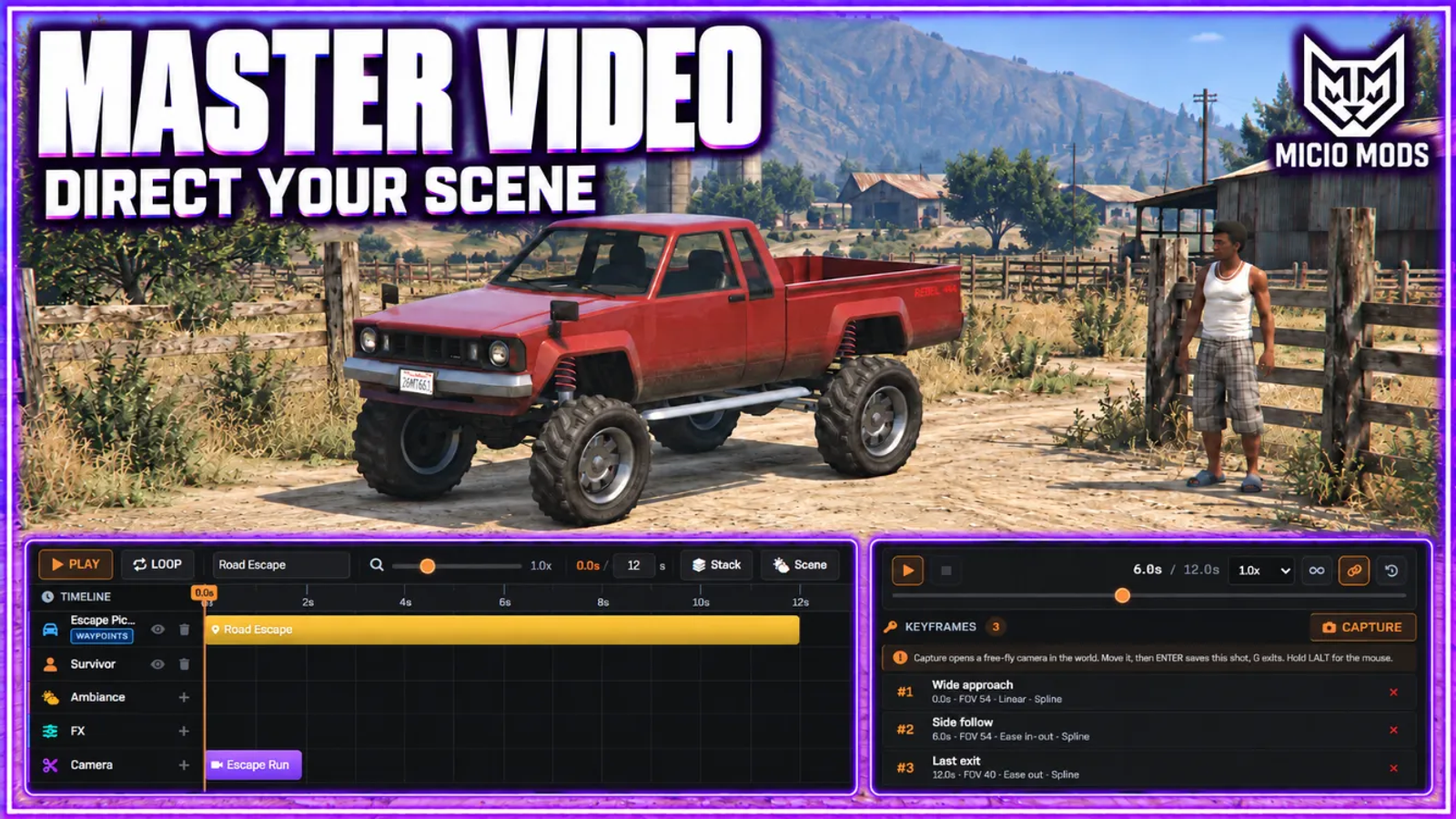
Place actors, vehicles and props on a timeline. Set camera keyframes, record movement and replay takes while filming. Dress actors, assign animations or driving behavior, or record a performance through body-swap mode.
Use the director to run scene sequences. Add timed effects, choose scene weather and time, or mount the camera on a vehicle. Save scenes for later sessions, keep favorite models and share scenes through import and export.
Supports ESX, QBCore, Qbox and standalone through ml_bridge. Requires ml_bridge, ox_lib and oxmysql.
Key Features
Free Camera
Fly a free camera on keyboard or controller, with precision and turbo speeds, roll, field of view and depth-of-field controls. Hide supported HUD elements while filming.
Timeline Editor
Lay actors, vehicles, props and camera moves on one shared timeline. Each clip has its own start point and length, so the whole scene plays back in order from a single place. Pause and scrub to land any moment exactly. Effect clips drop on too: slow motion, camera shake, screen flash, fade and black bars, each with its own start and length.
Keyframed Camera
Set the camera at points in space and time and let it travel between them with smooth or eased motion, not hard cuts. Build a slow push in or a sweeping orbit, add cinematic black bars and color filters, all without hand animating a frame.
Spawn Actors, Vehicles and Props
Drop people and animals, any vehicle, or world props straight into the scene. Dress an actor, hand them a weapon, and set how they behave, then save your favorite models to a personal library.
Movement Recording
Record a person walking or a car driving and replay the exact path inside your scene. Crowds and chases run themselves while you stay free to film. Recorded actors replay as ghosts while you record the next take, and a drive can be resumed from the end of its path to extend it.
Combat and Driving AI
Give spawned actors a combat or driving behavior and the firefight or pursuit plays out on its own, on camera. Pick a drive style for vehicles to make the path read the way you want.
Animation and Scenario Browser
Pick from the full library of animations, scenarios and emotes and assign them to any actor in the scene, or act out a performance yourself with body swap recording and keep it as editable clips. Walking styles and facial expressions are in there too, with a favorites star for go-to picks.
Director and Synced Scenes
Chain several scenes into one synced sequence and fire them together. A multi camera, multi actor take that goes off on cue.
Saved Scenes and Model Library
Save scenes to the server and reload them for later sessions. Keep favorite character and vehicle models in a personal library.
Subscription Access
Master Video is available as a monthly plan at 24.99 per month, with every feature and all updates included. Cancel anytime from your dashboard.
Scene Time and Weather
Give each scene its own hour and sky, a thunderstorm at midnight or a clean golden hour. The server weather snaps back the moment the shot ends.
Timed Special Effects
Drop explosions, fire, smoke and fireworks onto the timeline. Tint them, attach them to an actor, or fly the scene and plant one in the world at an exact moment.
Scene Import and Export
Copy any scene out as text and paste it back in somewhere else. Move a whole shoot to another server or hand it to a teammate in one paste.
Mounted and Locked Shots
Mount the camera on a moving car or lock the lens on one actor. Tracking shots and chase coverage stay framed without flying the camera by hand.
Secure Payments via:
















Tip: Log in with Discord and your customer roles sync automatically.
Verified Reviews
No reviews yet. Be the first.